
Hanh Hoang
Oct 15 2026 •8 minutes
Setting up a Shopify store as a beginner comes down to five things done well: choose the right plan and a branded domain, pick a fast mobile-first theme, optimize your product pages for conversion, connect a reliable fulfillment partner, and set up the automations that keep customers coming back. Do those correctly from day one and you avoid the slow, expensive mistakes most new merchants make.
Shopify powers over 4.4 million active stores for a reason - it is the easiest way for a beginner to launch a professional online store. This guide gives you the complete 2026 playbook, from the first signup click to a launch-ready store, with a special focus on print-on-demand (POD) sellers who want fulfillment handled automatically.
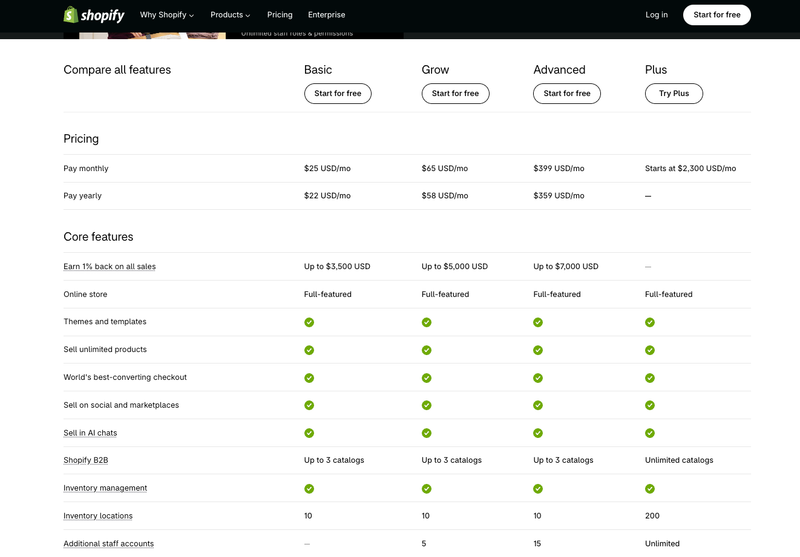
Shopify no longer has a permanent free plan, but the barrier to start is tiny. New stores get a short free trial, and in 2026 you can typically extend it to three months for $1/month on the Basic, Grow, or Advanced plans - enough runway to build and launch before paying full price. No credit card is required to start.
For beginners, the Basic plan is the right choice: around $39/month billed monthly, or ~$29/month on annual billing (annual saves roughly 25%). It includes a full storefront, a real theme, unlimited products, a blog, and multi-channel selling - everything you need to launch. Only move up to Grow (~$105/mo) or Advanced (~$399/mo) once your order volume justifies the lower card-processing rates.
Your store launches on a free .myshopify.com subdomain, but you should buy a custom branded domain (yourbrand.com) immediately. A branded domain builds trust, looks professional, and is better for SEO. You can register one through Shopify or connect a domain from a registrar - either way, budget roughly $10–$15/year.
Create a professional email on your domain, such as [email protected], for order confirmations, invoices, and customer service. A branded email dramatically increases trust versus a generic Gmail address and keeps your communications looking legitimate.
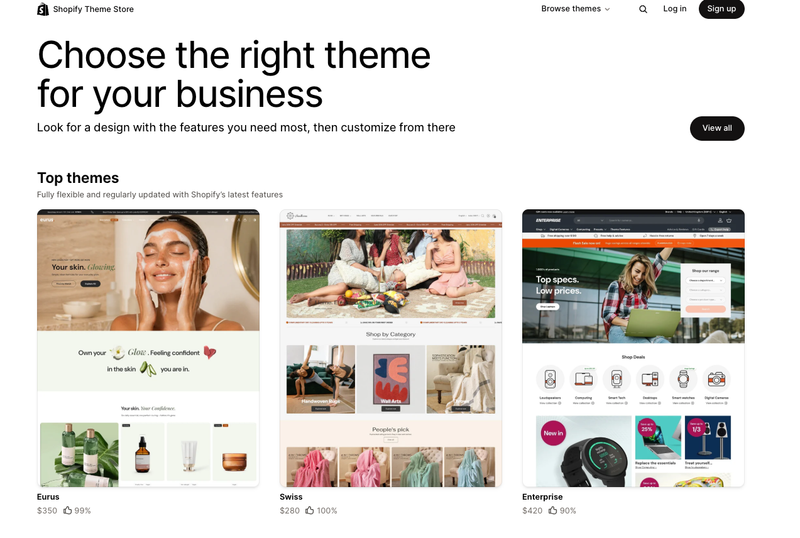
Start with a free theme - you do not need a paid one early on. Shopify's default free theme, Dawn, is excellent for beginners: fast-loading, mobile-optimized, clean, and built to convert. Because most of your traffic will be on mobile, a lightweight theme is essential for strong Core Web Vitals and a page-load time under ~2.5 seconds.
Protect that speed. Resist installing decorative or "junk" apps and heavy page builders that bloat your store and slow it down - every unnecessary app is a potential speed and conversion leak. If you later want a premium design, Theme Store themes are a one-time purchase in the ~$100–$400 range, not a recurring fee, but Dawn is more than enough to launch and scale.
Customize the essentials: your logo, hero image, brand colors, and typography. And launch lean - 8–12 well-presented products outperform 100 half-finished ones.
In Settings → Payments, turn on Shopify Payments if it is available in your country. This is the single most important money-saving setup step for a beginner. Shopify Payments processes cards at the standard rate (2.9% + 30¢ on Basic) and, crucially, lets you avoid Shopify's extra third-party transaction fee - that surcharge is 2% on Basic when you use an outside processor, and $0 when Shopify Payments is your processor.
Enabling Shopify Payments also activates Shop Pay, Shopify's one-tap accelerated checkout that measurably lifts conversion, especially on mobile and for repeat buyers. Add PayPal Express Checkout as a secondary option to capture international shoppers who prefer it. You can also offer Shop Pay Installments (US, on orders from $35 to $30,000) to raise average order value, noting it carries a higher transaction fee when used.
Traffic is wasted if your product pages don't convert. These are the highest-impact tweaks for a beginner.
Nothing kills trust - or triggers refunds - faster than a vague delivery date. State your handling time and shipping SLA clearly on every product page and at checkout: for example, "Made to order. Ships in 2–5 business days, delivered in 7–12 business days." For POD especially, where items are produced on demand, honest timelines set expectations and prevent the "where is my order" tickets and chargebacks that damage new stores.
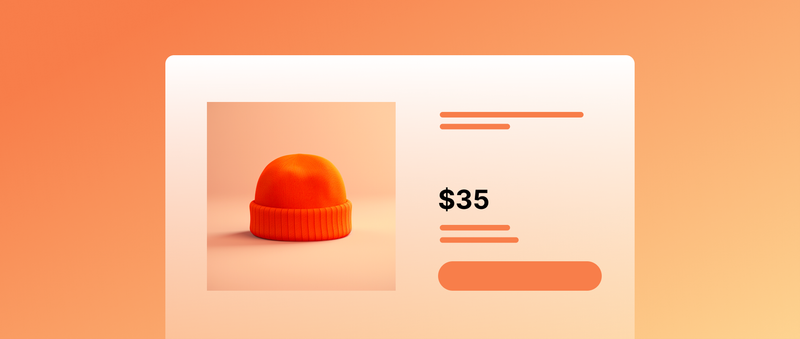
Images sell the product. Use a clean primary image on a plain background, then add 4–6 supporting shots: multiple angles, close-ups of material and detail, and lifestyle photos showing the product in real use. For POD and decor products, a lifestyle mockup (the mug on a desk, the lamp glowing in a room) consistently outperforms a flat product shot. Keep files optimized so they look sharp without slowing the page.
If you sell custom or POD products, quality consistency is your reputation. Design print files to the correct technical spec - typically CMYK color mode at 300 DPI - so what the customer sees online matches what arrives. And set clear packaging standards with your fulfillment partner (shock-resistant boxes, protective film on fragile items) so products arrive flawless. A damaged or off-color first order is a lost customer and a bad review; getting the print and packaging right protects both your margin and your ratings.
This is where POD beginners win or lose. The goal is a store that fulfills orders automatically so you can focus on marketing, not manual order entry.

Connect your Shopify store directly to a reliable print-on-demand fulfillment provider through its Shopify app. A proper integration pulls orders automatically, sends them to production, and pushes a valid tracking number back to Shopify - which also keeps your customers informed and your store metrics healthy. Printway, for example, integrates automatically with Shopify (and WooCommerce) so orders flow straight from your store into printing and shipping with no manual steps. Set this up before launch and test it with a sample order.
Build in a short safety buffer before orders are sent to production. Setting an auto-hold of roughly 4–12 hours before an order is pushed to the print facility gives customers a window to fix a wrong address or correct an order detail - and gives you a chance to catch obvious errors. This small setting prevents a surprising number of costly misprints and reships, which is exactly the kind of avoidable loss that eats a new store's thin early margins.
Acquiring a customer is expensive; keeping them is where profit lives. Two systems do most of the work.
Use Shopify Email or a connected app to set up your core automated email flows from day one:
These run on autopilot once configured and compound in value as your list grows.
New shoppers need reasons to trust an unfamiliar store. Create clear, complete policy pages - Shipping, Returns & Refunds, Privacy, Terms of Service, and a real About and Contact page. These signals of transparency and legitimacy reassure buyers at the exact moment they hesitate, reduce abandonment, and align with Google's E-E-A-T principles (Experience, Expertise, Authoritativeness, Trustworthiness), which supports your store's search visibility. Shopify provides policy-page templates you can adapt - just make sure they match your actual fulfillment timelines.
Before you go live, confirm:
Less than most people expect. The Basic plan is about $29/month on annual billing (or $39 billed monthly), and new stores can usually start with a trial extended to three months for $1/month. Your other essentials are cheap: a domain is ~$10–$15/year, and Dawn (the theme) is free. Budget roughly $30–$70/month in fixed costs including a few apps, plus card-processing fees of about 2.9% + 30¢ per sale. You don't need a paid theme to launch, and a POD model means no upfront inventory cost.
Yes, once you connect a POD fulfillment partner through its Shopify app. The integration pulls each order automatically, sends it to the print facility, produces the item on demand, ships it to your customer, and pushes the tracking number back to your store. You never touch inventory or packing. Your job is to set it up correctly, keep your designs and product info accurate, and handle marketing and customer service - the fulfillment partner handles production and shipping.
Start with a free theme - specifically Dawn. It is fast, mobile-optimized, SEO-friendly, and converts well, which is everything a beginner needs. Paid themes (a one-time ~$100–$400 purchase) can be worth it later for a more distinctive design or specific features, but they won't fix a store that lacks good products, clear photos, or trust signals. Launch on Dawn, invest your early budget in products and marketing, and upgrade the theme only when you have revenue and a clear reason.
Turn on Shopify Payments. When you use it as your payment processor, you pay only the standard card-processing rate (2.9% + 30¢ on Basic) and Shopify waives its additional third-party transaction fee (which is 2% on Basic if you use an outside gateway). For most beginners, especially in supported countries, enabling Shopify Payments is the obvious money-saver.
Launching a successful Shopify store as a beginner isn't about doing a hundred things - it's about doing the right handful correctly. Start on the Basic plan with a branded domain and the free Dawn theme, keep your store fast and mobile-first, turn on Shopify Payments to save on fees, and build product pages that are honest about shipping and strong on images. Then automate the back end: connect a POD fulfillment partner so orders ship themselves, set a safe order-holding buffer, and run abandoned-cart and welcome emails from day one. Add trustworthy policy pages, test your full order flow, and launch. Get these fundamentals right in 2026 and you'll have a store that's built to convert - and to scale.
Ready to launch your POD store? Connect Printway to your Shopify store to automate fulfillment, and start selling with no upfront inventory.