Articles in this section
Method 1: Top up Printway wallet
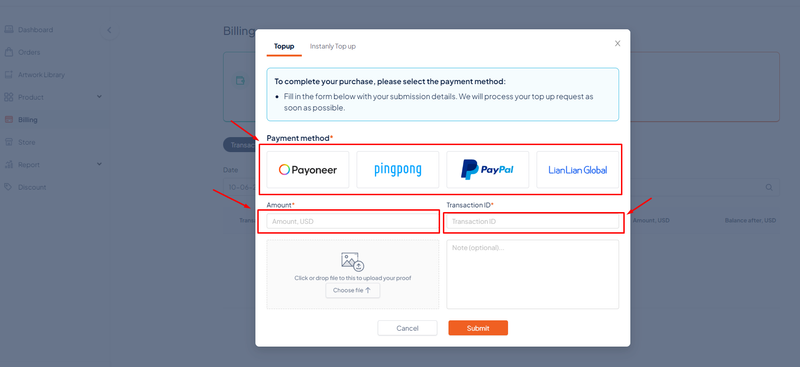
To make payment for an order, go to Billing → Top up. Here you need to transfer money to Printway accounts using one of the payment methods such as Payoneer, Pingpong, Paypal, or Lianlian Global. After finishing your transaction on the payment platform, you enter the amount of money in USD and transaction ID, you can attach transaction images or add notes for Topup request -> Submit.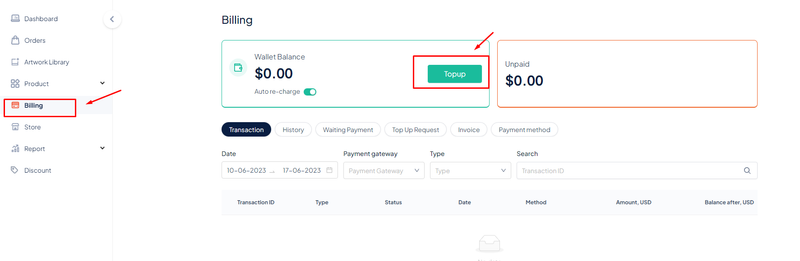
Method 2: Connect accounts/cards for order payment
You can add a card directly at Billing → Payment method → Add new payment method. Printway supports payment gateways such as Payoneer, Tazapay, and LianLian Pay or connect with Mastercard, Visa card, etc.
Note: The payment fee when using PO is 0% and for cards is 4.4%.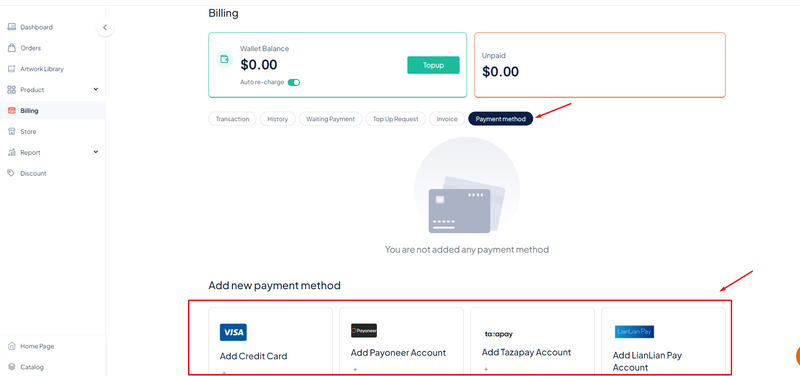
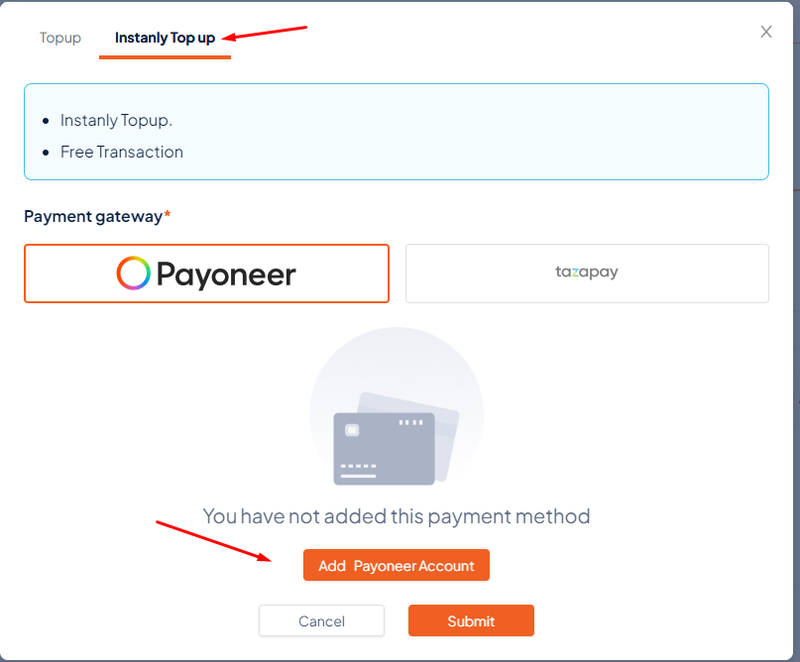
You can also add your account/card at Instanly Top up, choose payment method Payoneer or Tazapay -> Add payment account/card on Printway -> Submit.