Articles in this section
You can adjust the time when an order will go into production as you like by going to Store->Setting->Order Approval. The default system time is 12 hours, but you can customize it according to your needs.

In the Setting section, you will see options to set the time the order goes into production. With condition that the order has been paid and is not onhold, not verified address/error artwork, the order will be pushed to the production system after this approval period expires.
Note: During this order approval period, you can edit order information, choose to cancel or push to manual production depending on your needs.
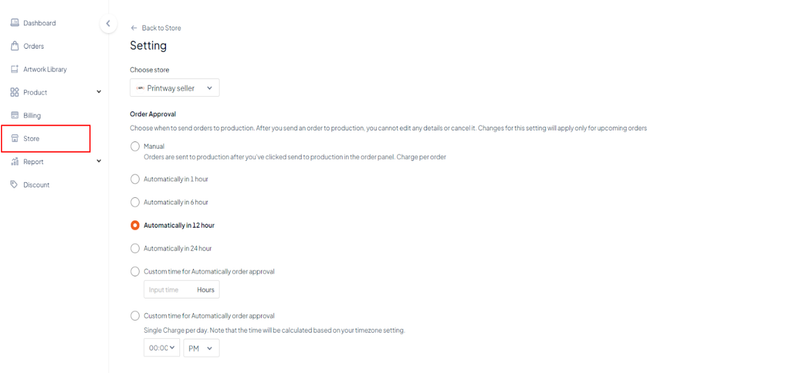
In addition to the available time options, you can manually enter the number of hours in Custom time for automatically order approval.
