Dieu Linh
Jan 08 2026 •3 minutes
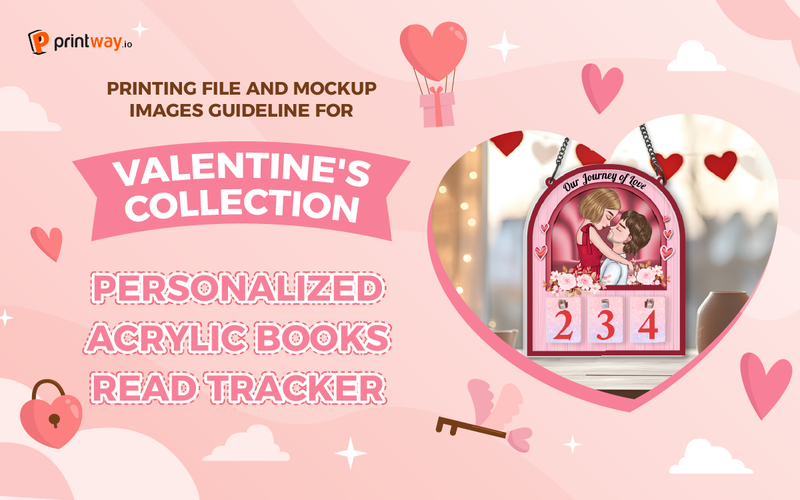
Looking to add a unique touch to your Valentine's collection or your personal library? The Personalized Acrylic Books Read Tracker is a fantastic way to celebrate a love journey. With this creative product, you can freely make a lot of stunning designs to count days of love. This is evaluated as a potential product to boost your Valentine's Day sales greatly. In this guide, we’ll walk you through the process of downloading templates, designing your print files, and creating professional mockups using Printway’s sources.
Before you start designing, you need the correct dimensions and guidelines.
Visit the Printway.io website.
In the Catalog section, search for "Personalized Acrylic Books Read Tracker"
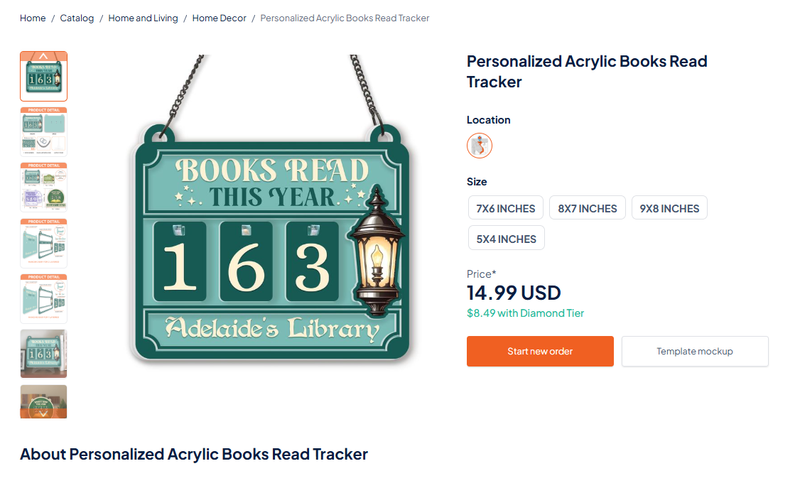
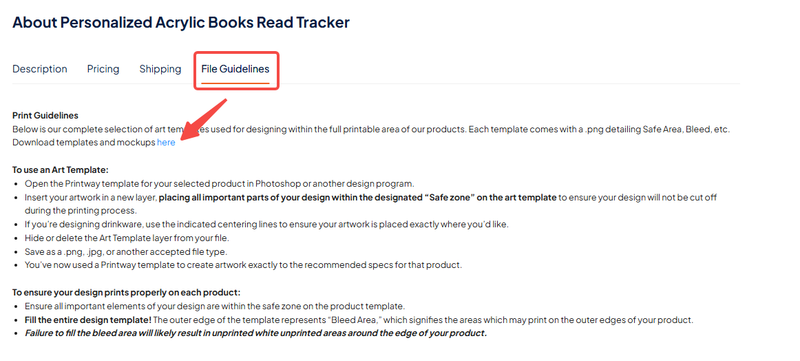
Select the product, scroll down to the File Guidelines section, and click the link to download the templates and mockup assets.
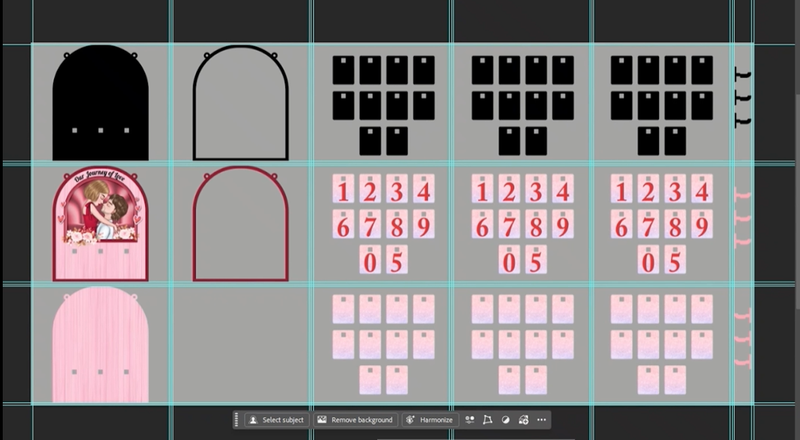
Once you have your files, open the template in Photoshop or Photopea. The template is organized into a grid to help you place every element perfectly.
The template consists of three main rows:
Row 1 (Top): Contains the Product Cut File. This shows exactly where the wood/acrylic will be cut.
Row 2 (Middle): This is the Front Print File. This is where you’ll place your main design.
Row 3 (Bottom): This is for the Back Side of the product.
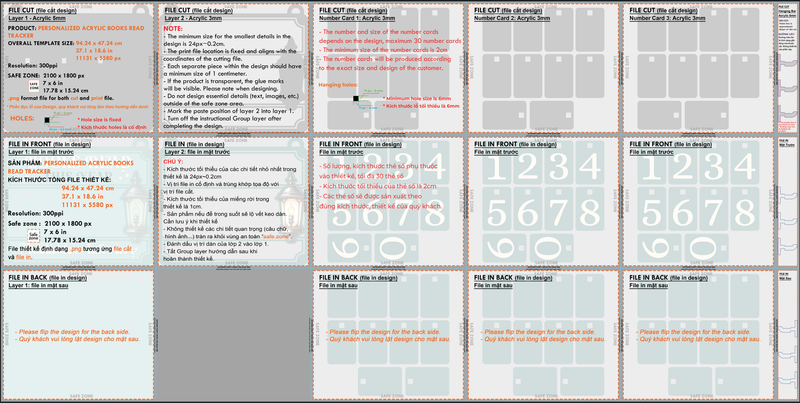
Resolution: 300 PPI (essential for high-quality printing).
File Format: PNG.
Safe Zone: Ensure all important text and design elements stay within the designated "Safe Zone" to avoid being cut off.
Mockups are essential for showing customers (or yourself!) what the final product will look like in a real-world setting.
Open the Mockup File: Open the provided mockup PSD file. You’ll see various pre-made scenes and styles.
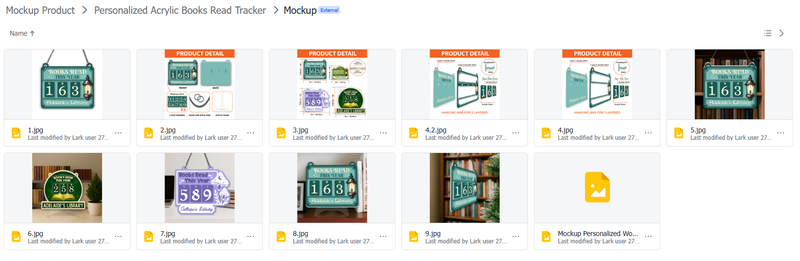
Select Your Style: Choose the specific mockup style that fits your brand.
Apply Your Design: Copy your design from the print file.
Paste it into the Smart Object layer in the mockup file.
Use the Warp and Mask tools to ensure the design follows the curves and shape of the tracker.
To make your mockup look truly realistic, don't forget the details:
Add Shadows: Use the "Drop Shadow" layer style to give the tracker depth against the background.
Adjust Colors: Use "Hue/Saturation" or "Color Balance" layers to ensure the colors of your design match the lighting of the mockup scene.
Number Cards: Ensure the small number cards are aligned correctly within the tracker’s slots on the mockup.
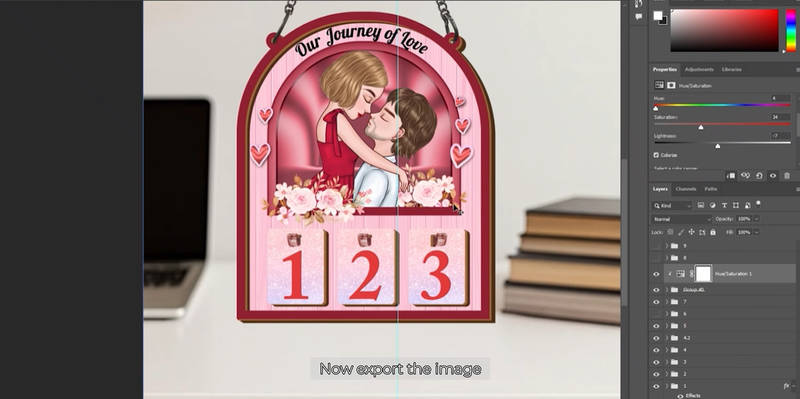
When you are happy with the design and the mockup:
Export the Print File: Save as a high-resolution PNG for production.
Export the Mockup: Save as a JPEG or PNG for your shop or social media.
Now you're ready to bring your Personalized Books Read Tracker to life!
Creating a Personalized Acrylic Books Read Tracker is more than just a DIY project, it’s a beautiful way to visualize a year of stories, growth, and milestones. By following these steps to align your designs with the correct templates and using professional mockups, you ensure that your final product looks as premium in person as it does on your screen.
Whether you are designing this as a heartfelt Valentine's gift or adding it to your store’s collection, the key lies in the details. Take your time with the safe zones, play with the lighting in your mockups, and don’t be afraid to get creative with your artwork!
Explore details of Personalized Acrylic Books Read Tracker: here
To understand more clearly, please watch the full guideline video here: Artwork Guidelines and Mockup Generator Guideline for Personalized Acrylic Books Read Tracker