Dieu Linh
Dec 19 2025 •3 minutes
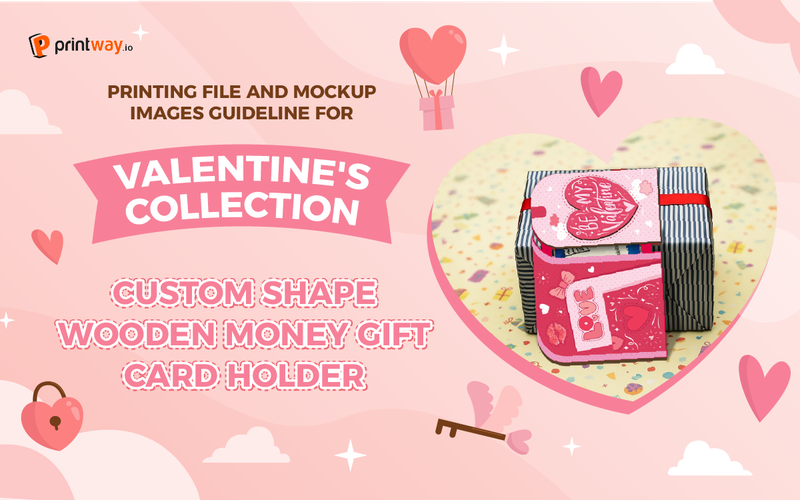
Attention POD sellers! Are you looking for a high-margin, trending product to boost your store's seasonal sales? The Custom Shape Wooden Money Gift Card Holder is a versatile and premium gift solution that is perfect for holidays, birthdays, and special occasions. Unlike standard paper envelopes, this product offers a unique 4-layer wooden structure that adds perceived value and durability, making it an irresistible choice for customers looking for a more meaningful way to gift cash or cards.
By offering custom shapes and personalized designs, you can stand out in a crowded marketplace and provide a truly bespoke experience. This guide will walk you through the technical process of preparing your print files and creating professional mockups to ensure your listings look stunning and your production runs smoothly.
Customizing your own Wooden Money Gift Card Holder is a fantastic way for Print-on-Demand (POD) sellers to offer unique, seasonal products. This guide will walk you through the essential steps to prepare your design files and create high-quality mockup images using Printway’s professional templates.
Before you begin designing, you need the correct specifications from the Printway website.
Visit Printway.io: Go to the official website and navigate to the Catalog section.
Find the Product: Search for "Money" and select the Custom Shape Wooden Money Gift Card Holder.
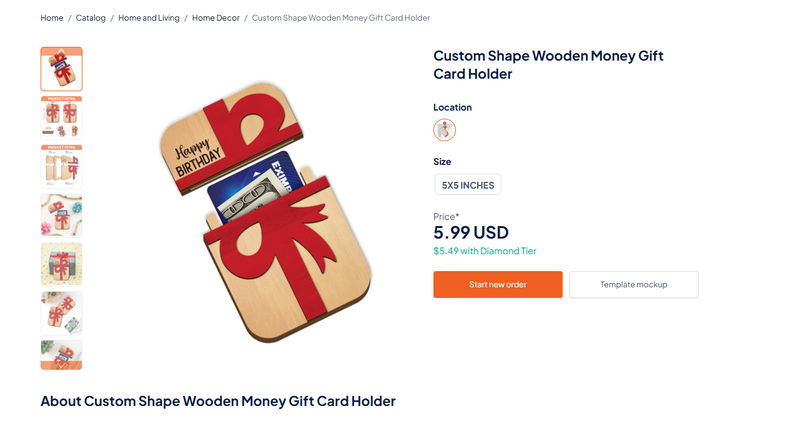
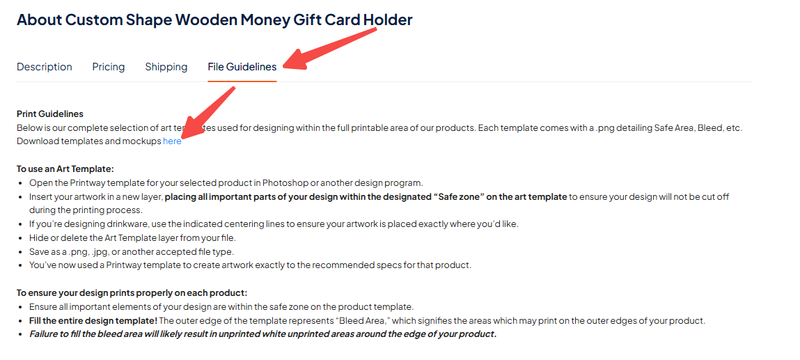
Access Guidelines: Scroll down to the File Guidelines section and click the link to download the compressed folder containing the Mockup and Template files.
The printing file is multi-layered, so it is important to follow the layout carefully to ensure a perfect finished product.
1- Open the Template: Use Adobe Illustrator to open the template file.
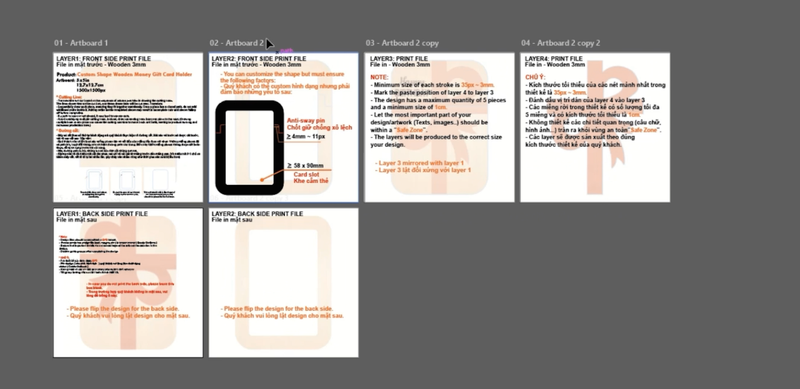
2- Review the Layout: The template features four design areas corresponding to the four wooden layers of the product.
Layer 1: Front and back side (3mm wood).
Layer 2: Front and back side (3mm wood).
Layer 3 & 4: Additional layers for depth (3mm wood).
3- Design Requirements:
Custom Shapes: You can customize the outer shape, but you must include an Anti-sway pin (≥4mm ~ 11px) and a Card slot (58 x 90mm).
Safe Zone: Ensure all text and important artwork remain within the designated "Safe Zone" to avoid being cut off.
Stroke Width: Maintain the minimum size of each stroke is 35px - 3mm.
Save Your Work: Follow the notes on the file typically, files should be submitted in EPS format with all text converted to outlines (Create Outlines).
A realistic mockup is key to attracting customers. Here is how to assemble yours in Adobe Photoshop.
1- Open the Mockup File: Open the downloaded .TIF mockup file in Photoshop.
2- Import Your Design: Drag your completed design from Adobe Illustrator directly into the Photoshop mockup window.
3- Position and Mask:
Place your design over the appropriate layer.
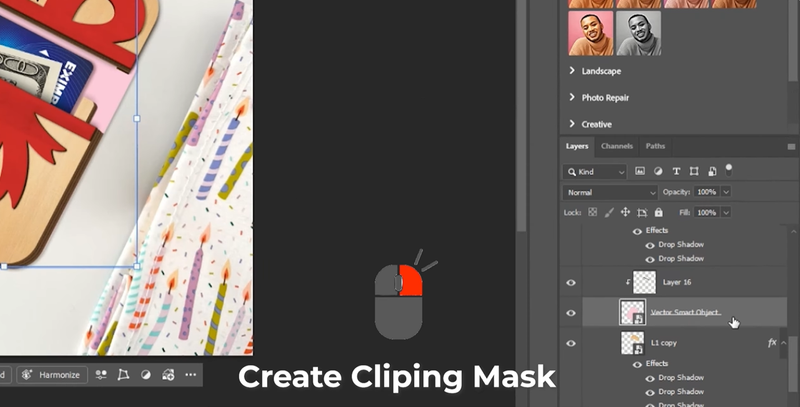
Create a Clipping Mask: Right-click your design layer and select "Create Clipping Mask" to fit the artwork perfectly to the wooden shape.
4- Apply Effects: To add realism, copy the shadow and depth effects from the template layers by holding Alt and dragging the "Effects" icon to your new design layer.
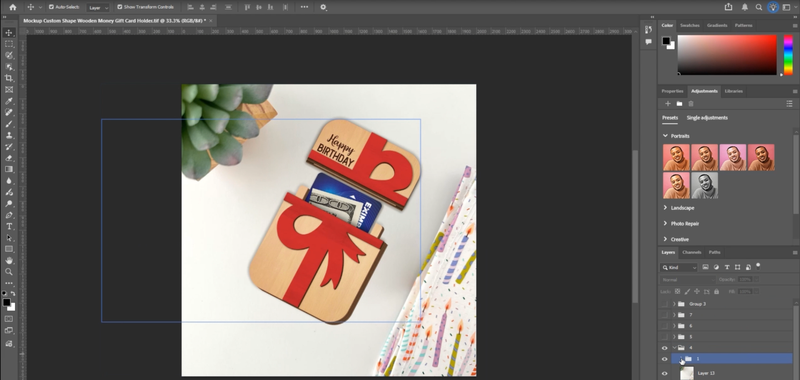
5- Finalize and Export: Once your front and back designs are placed and masked, export the image as a high-quality JPEG or PNG for your store listing.
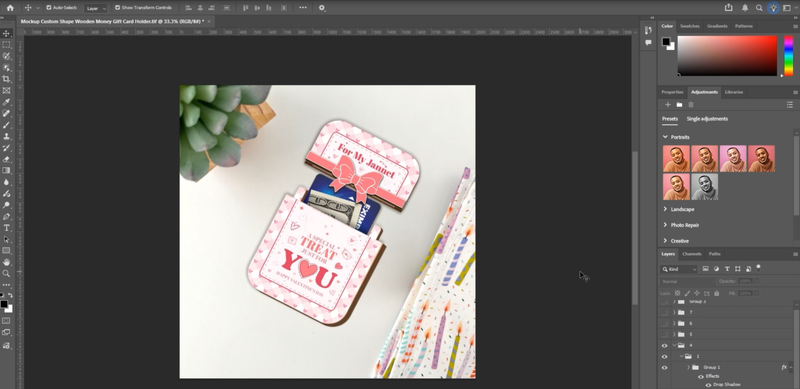
By using these templates, you ensure that your custom shapes are both beautiful and functional. High-quality mockups allow your customers to see the 4-layer depth and professional finish of the wooden holder before they buy.
For a detailed visual walkthrough of these steps, you can watch the full tutorial video here: Artwork Guidelines and Mockup Generator Guideline for Custom Shape Wooden Money Gift Card Holder
Ready to start? Head over to Printway and download your templates today!
Explore and fulfill Custom Shape Wooden Money Gift Card Holder here